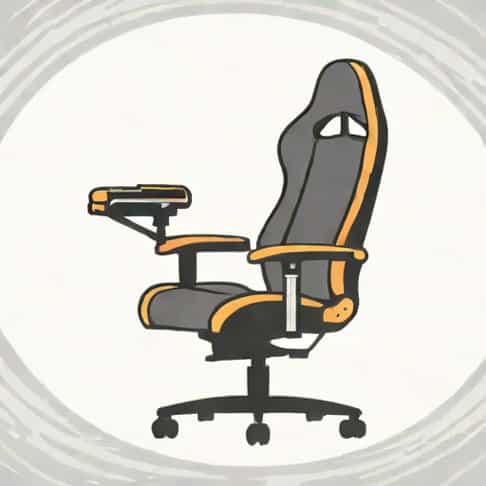
Many gamers have experienced the annoying creak or squeak coming from their gaming chair at some point. This seemingly minor issue can disrupt concentration during intense gaming sessions and even indicate potential wear or mechanical problems. Understanding why your gaming chair is creaking is essential not only for comfort but also for prolonging the life of your chair. From loose screws to worn-out components, there are multiple reasons that can cause this common problem. By identifying the root cause, you can take steps to fix it and maintain a smoother gaming experience.
Common Causes of a Creaking Gaming Chair
Gaming chairs are designed to provide comfort and support during long hours of use. However, the materials and mechanical components in these chairs can develop issues over time, leading to creaking noises. Some of the most common causes include
Loose Screws and Bolts
One of the most frequent reasons for a creaking gaming chair is loose screws or bolts. Over time, constant movement and pressure can cause these fasteners to loosen, resulting in friction and noise when the chair is used. Checking and tightening all screws regularly can often eliminate the creaking sound and prevent further damage.
Worn or Dry Bearings
Many gaming chairs have swivel mechanisms or reclining features that rely on bearings to move smoothly. If these bearings become dry or worn, they can produce squeaky noises when you rotate or recline the chair. Lubricating the bearings with a suitable oil or silicone spray can often restore smooth movement and reduce creaking.
Frame or Structural Stress
The frame of a gaming chair, whether made from metal or plastic, can sometimes flex under weight or movement. Stress on joints or weak points can create creaks as the material shifts slightly during use. Ensuring the chair is assembled correctly and avoiding sudden heavy movements can help minimize stress on the frame. In some cases, additional reinforcement may be necessary to prevent ongoing noise.
Seat and Backrest Materials
The padding and upholstery of a gaming chair can also contribute to creaking sounds. Leather, faux leather, and fabric coverings may rub against underlying foam or support structures. Over time, this friction can cause subtle squeaks or creaks, especially when leaning back or shifting weight. Adjusting the tension or applying a light lubricant to moving joints can reduce these noises.
Mechanical Components That May Cause Noise
Understanding the mechanical components of a gaming chair can help pinpoint the source of creaking. Some key parts include
- Gas Lift CylinderThe gas lift cylinder allows the chair to move up and down. Worn seals or lack of lubrication can cause it to squeak when adjusting height.
- Recline MechanismThe reclining feature uses metal hinges and levers. Loose screws or insufficient lubrication can produce creaking when leaning back.
- Swivel BaseThe swivel base connects the chair to its legs and casters. Friction between the rotating parts can lead to creaking if not properly maintained.
- Casters and WheelsWheels may create noise if debris gets caught or if the bearings are worn, indirectly causing the chair to feel squeaky.
Environmental Factors
Sometimes, the environment in which the chair is used can affect creaking. High humidity or changes in temperature can cause materials like wood, metal, or synthetic fibers to expand and contract, producing noise. Additionally, uneven flooring can place extra stress on certain parts of the chair, leading to squeaks or creaks during movement. Placing the chair on a smooth, level surface can reduce these environmental effects.
Preventive Measures to Stop Creaking
Preventing creaks in a gaming chair is often easier than repairing extensive damage. Regular maintenance can extend the life of the chair and ensure a quiet gaming experience. Some effective preventive measures include
- Regularly checking and tightening all screws, bolts, and fasteners.
- Lubricating moving parts such as bearings, recline hinges, and gas lift cylinders with appropriate oils or sprays.
- Ensuring that the chair is assembled correctly according to the manufacturer’s instructions.
- Avoiding excessive weight or sudden movements that can stress the frame or joints.
- Placing the chair on a level and clean surface to prevent uneven pressure on legs and casters.
When to Seek Professional Help
If the creaking persists despite regular maintenance, it may indicate a more serious issue. Structural damage to the frame or worn-out mechanical parts can require professional repair or replacement. Ignoring persistent creaks can lead to further wear, making the chair less stable and potentially unsafe. Contacting the manufacturer or a professional furniture repair service can provide a solution and prevent long-term damage.
Creaking in a gaming chair is a common problem that can result from loose screws, worn bearings, structural stress, friction in seat materials, or environmental factors. Understanding the underlying cause is crucial to fixing the issue and maintaining a comfortable gaming experience. Regular maintenance, proper lubrication, and careful use can prevent most creaks and prolong the life of the chair. By addressing the problem early, gamers can ensure their chair remains a reliable and quiet companion during long hours of gameplay.