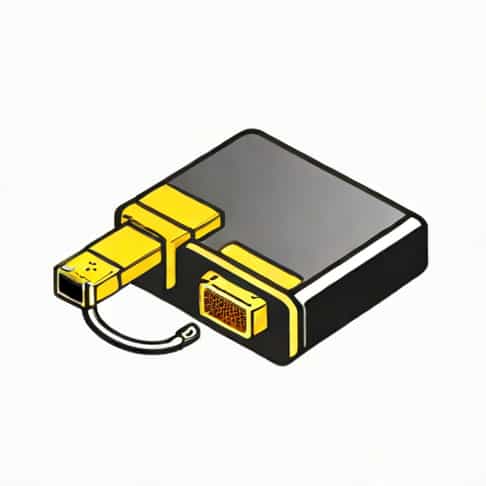
In today’s world of digital connectivity, devices often come with different types of video and audio ports, creating challenges when attempting to connect modern devices to older displays. One common scenario is connecting an HDMI-enabled device, such as a laptop, gaming console, or media player, to a VGA display, such as an older monitor or projector. Since HDMI carries both video and audio signals digitally while VGA is an analog video-only standard, a simple cable is not enough. This is where an HDMI to VGA converter with audio becomes essential. These converters allow users to transmit both video and audio from HDMI sources to VGA displays, ensuring a complete multimedia experience. This topic explores the functionality, types, benefits, and considerations when choosing an HDMI to VGA converter with audio.
Understanding HDMI and VGA Connections
HDMI (High-Definition Multimedia Interface) is a widely used standard that transmits uncompressed digital video and audio signals through a single cable. HDMI supports high-definition resolutions, surround sound audio, and is standard on most modern devices. VGA (Video Graphics Array), on the other hand, is an older analog video standard that transmits only video signals. VGA is still commonly found in older monitors, projectors, and some industrial equipment, making the need for converters a practical solution for compatibility.
Why Audio Conversion is Important
Since VGA only supports video, audio from an HDMI source will not be transmitted through a simple HDMI-to-VGA cable. Many HDMI to VGA converters include an audio output, usually in the form of a 3.5mm stereo jack or RCA connectors. This ensures that both video and audio from the HDMI source can be delivered to the display and external speakers simultaneously. Without this feature, users would need a separate solution for audio, complicating setups and reducing convenience.
How HDMI to VGA Converters with Audio Work
An HDMI to VGA converter with audio is an active device that converts the digital HDMI signal into an analog VGA signal while separating the audio signal for output. Internally, the converter contains a chip that decodes the HDMI video and audio signals. The video is processed and converted to VGA format, while the audio is extracted and sent to a separate audio output port. This allows users to connect HDMI devices to older displays without losing sound quality.
Key Features to Look For
When selecting an HDMI to VGA converter with audio, several features are important to ensure compatibility, performance, and ease of use
- Resolution SupportCheck the maximum supported resolution, commonly 1080p or 1920×1080, to ensure it meets your display’s requirements.
- Audio OutputLook for 3.5mm audio jacks or RCA outputs to connect speakers or sound systems.
- Plug-and-PlayA good converter should work without requiring additional drivers or software installation.
- Power SourceSome converters require USB power, while others are self-powered through the HDMI connection. Ensure your setup supports the converter’s power needs.
- CompatibilityVerify compatibility with your device, whether it’s a laptop, desktop, gaming console, or media player.
- Build QualityA durable design ensures long-term reliability and reduces the risk of connection issues.
Benefits of Using an HDMI to VGA Converter with Audio
Using a converter provides several advantages, especially when integrating modern devices with older display equipment
Extended Device Compatibility
Converters allow users to connect newer HDMI-enabled devices to VGA displays, extending the usefulness of older monitors or projectors. This is particularly helpful in classrooms, offices, and conference rooms where upgrading equipment may be costly.
Audio and Video Integration
By including an audio output, these converters ensure that users do not have to deal with separate audio solutions, simplifying setups and providing a seamless multimedia experience. This is especially important for presentations, gaming, or watching videos where audio is essential.
Cost-Effective Solution
Instead of replacing VGA monitors or projectors, users can invest in a relatively inexpensive converter to bridge the compatibility gap. This allows for efficient use of existing hardware while benefiting from modern digital devices.
Considerations When Buying a Converter
Not all HDMI to VGA converters with audio are created equal. To ensure optimal performance, keep the following considerations in mind
Resolution and Refresh Rate
Check the maximum supported resolution and refresh rate of both your HDMI source and VGA display. Most converters support up to 1080p at 60Hz, which is sufficient for most applications, but higher resolutions may require specialized converters.
Audio Quality
Ensure the converter provides high-quality audio output. Some models support stereo sound, while others may have limitations. If audio fidelity is critical, look for converters that explicitly mention support for high-quality audio transmission.
Power Requirements
Some converters draw power from the HDMI source, but others need an external USB power source. Confirm that your setup can provide the necessary power to prevent malfunction or intermittent connection issues.
Durability and Portability
Consider the build quality and portability of the converter, especially if it will be used in multiple locations or transported frequently. A sturdy, compact design improves longevity and convenience.
Applications of HDMI to VGA Converters with Audio
These converters are used in a variety of scenarios, including
- Connecting modern laptops to older projectors in classrooms and conference rooms.
- Using gaming consoles with VGA monitors while retaining audio output to external speakers.
- Integrating media players or streaming devices with older display equipment for home entertainment.
- Supporting business or industrial setups where VGA displays are still in use.
Tips for Optimal Performance
To get the best experience with an HDMI to VGA converter with audio, follow these tips
- Ensure secure connections for both HDMI and VGA cables to prevent signal loss.
- Use high-quality cables to maintain video and audio quality.
- Adjust display settings on your source device to match the VGA monitor’s resolution.
- Check that the audio output is correctly routed to speakers or headphones for proper sound.
An HDMI to VGA converter with audio is an essential tool for bridging the gap between modern HDMI devices and older VGA displays. By converting digital video signals to analog while providing a separate audio output, these converters allow users to enjoy both visual and auditory content without upgrading legacy equipment. They offer a cost-effective, convenient, and versatile solution for classrooms, offices, home entertainment setups, and industrial environments. When choosing a converter, it is important to consider resolution support, audio quality, power requirements, and build quality to ensure reliable and optimal performance. By understanding how these converters work and their practical applications, users can seamlessly integrate old and new technologies, maintaining functionality and enhancing the overall multimedia experience.