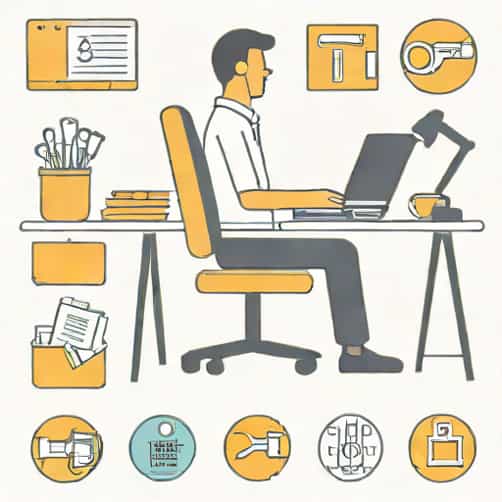
In any environment where people work, study, or spend long hours seated, ergonomics is an important consideration. It plays a key role in promoting comfort, productivity, and overall health. The term ergonomics refers to the science of designing and arranging workspaces, tools, and systems so that they fit the people who use them. When applied correctly, ergonomics helps prevent injury, reduces fatigue, and increases efficiency, making it an essential part of modern workplaces and daily life.
Understanding the Concept of Ergonomics
Ergonomics focuses on creating a balance between humans and their environment. It involves studying how people interact with machines, furniture, and technology to design solutions that enhance both comfort and performance. The goal is to minimize strain and maximize ease of use.
This field covers a wide range of disciplines, including physiology, psychology, engineering, and design. By understanding human capabilities and limitations, ergonomic principles guide how workplaces, tools, and products are structured. Whether in an office, factory, or home, ergonomics affects everything from posture to workflow.
Why Ergonomics Is an Important Consideration
Good ergonomics is not just about comfort-it’s also about health, safety, and efficiency. Poor ergonomic setups can lead to musculoskeletal disorders, repetitive strain injuries, and chronic pain, particularly in the back, neck, and shoulders. On the other hand, a well-designed workspace promotes well-being and productivity.
- Prevents InjuryProper ergonomics reduces the risk of strain injuries caused by repetitive motion or awkward postures.
- Enhances ProductivityWhen workers feel comfortable and supported, they can focus better and perform tasks more efficiently.
- Improves Employee SatisfactionAn ergonomic environment demonstrates that an organization values its people, boosting morale and retention.
- Supports Long-Term HealthErgonomic design reduces chronic pain and fatigue, allowing for sustained well-being over time.
Key Principles of Ergonomics
Applying ergonomic principles involves a careful balance between human needs and task demands. Several key principles guide ergonomic design in various settings
- Fit the Job to the PersonTools and equipment should be adjustable to accommodate different body types and abilities.
- Maintain Neutral PostureThe body should be positioned naturally, with minimal bending or twisting of the spine, wrists, or neck.
- Reduce Excessive ForceWork processes should minimize physical effort by using mechanical aids or better tool design.
- Encourage MovementStatic positions increase fatigue, so employees should be encouraged to move and stretch regularly.
- Provide Adequate Lighting and TemperatureEnvironmental factors also influence comfort and performance.
Ergonomics in the Workplace
Workplaces are where ergonomic considerations are most visible. Whether in an office or industrial setting, the design of workstations, chairs, desks, and tools directly affects performance and safety.
Office Ergonomics
For office environments, ergonomics focuses on creating a comfortable and efficient workspace. An ideal setup should include an adjustable chair that supports the lower back, a desk at the proper height, and a computer screen positioned at eye level. The keyboard and mouse should allow for natural hand positions to reduce wrist strain. Proper lighting and screen distance are also vital to prevent eye strain and headaches.
Industrial and Manufacturing Ergonomics
In industrial environments, ergonomics helps prevent workplace injuries by optimizing tools, machinery, and workflow. Adjustable workstations, mechanical lifting aids, and training on safe movements are critical. Workers who perform repetitive tasks or heavy lifting benefit significantly from ergonomically designed tools and procedures that reduce fatigue and risk of injury.
Remote Work and Home Ergonomics
With more people working from home, home office ergonomics has become a growing concern. Many individuals use dining tables or couches as makeshift desks, leading to poor posture and discomfort. Setting up a dedicated workspace with an adjustable chair, proper desk height, and monitor placement helps maintain physical well-being and productivity throughout the day.
The Role of Ergonomics in Education
Ergonomics is equally important in schools and universities. Students spend long hours sitting and using computers, often in poorly designed classrooms or study areas. Ergonomic furniture, such as adjustable desks and supportive chairs, encourages proper posture and helps students stay focused. In digital learning environments, ergonomic design ensures that technology use doesn’t lead to discomfort or long-term physical issues.
Health Benefits of Ergonomically Designed Spaces
The benefits of ergonomic design go beyond comfort. A well-planned environment can significantly improve overall health and well-being. Among the most notable benefits are
- Reduced Back and Neck PainProper seating and posture alignment minimize strain on the spine.
- Lower Risk of Repetitive Strain InjuriesErgonomic tools prevent overuse injuries, such as carpal tunnel syndrome.
- Improved CirculationAdjustable furniture and movement-friendly designs promote better blood flow.
- Less FatigueReducing physical strain allows for greater energy and mental clarity throughout the day.
- Enhanced FocusComfortable environments enable people to concentrate better and work longer without discomfort.
Implementing Ergonomics in Daily Life
Ergonomic principles aren’t limited to workplaces or classrooms. They can be applied in everyday life-at home, during travel, or while engaging in hobbies. For example, using supportive pillows, maintaining proper posture while driving, or adjusting the height of a workbench can all make a difference in preventing strain and discomfort.
Simple daily adjustments can make a noticeable improvement. Regular breaks, stretching exercises, and awareness of body alignment help maintain physical comfort. The key is to listen to your body and make changes when something feels uncomfortable or unnatural.
Common Ergonomic Mistakes and How to Avoid Them
Even when people are aware of ergonomic principles, they often make common mistakes that undermine their effectiveness. Some frequent issues include
- Placing the computer monitor too high or too low, leading to neck strain.
- Using chairs without lumbar support, causing lower back pain.
- Sitting for long periods without moving or stretching.
- Typing with bent wrists, increasing the risk of repetitive strain injuries.
- Working in poorly lit areas that strain the eyes.
These mistakes can be avoided with small but consistent adjustments, such as using an ergonomic keyboard, repositioning the monitor, or taking scheduled standing breaks every hour.
Ergonomics and Future Work Trends
As technology advances, ergonomics continues to evolve. The rise of remote work, automation, and digital tools presents new challenges in maintaining comfort and safety. Future ergonomic designs will likely include smart furniture that adjusts automatically, virtual reality training for posture correction, and customizable workstations tailored to individual users.
Organizations are increasingly recognizing that ergonomics is not an optional luxury but a necessary investment. It directly influences employee health, satisfaction, and performance, which ultimately contributes to long-term success.
Ergonomics is an important consideration in every aspect of modern life-from offices and factories to schools and homes. By understanding how people interact with their environments, ergonomic design creates spaces that support health, efficiency, and comfort. Implementing ergonomic principles not only prevents injury but also improves focus, energy, and overall well-being. As work and technology continue to evolve, the need for ergonomic awareness will only grow stronger, ensuring that people remain both productive and healthy in the spaces where they spend their time.